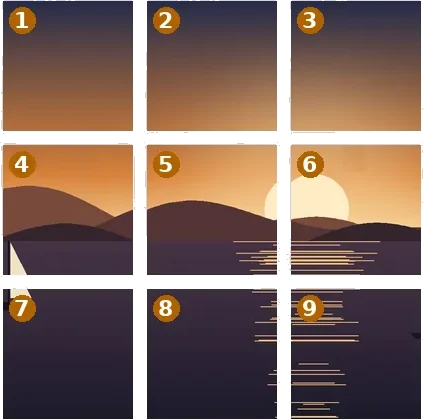
Tiles are not sheets
A poster printed at home is a set of sheets: each has a white margin the printer cannot reach, the sheets overlap so they can be taped, and there are trim marks in the margin. A tile wall is a different job. The tiles come from a print shop, mounted on board or in frames; they hang edge to edge with no overlap and no white margin, and each one is trimmed to its exact size. So the Print rail has a second mode, Photo tiles, that drops the margin and overlap and adds the thing a print shop actually asks for — bleed.
Each tile’s file is the tile plus the bleed on every side. Inside the wall the bleed carries the neighbouring tile’s picture, so the edges match after trimming; at the outer edge of the wall it carries a stretched copy of the photo’s last pixels, so a trim that wanders never shows white. The PDF sets each page to the tile size plus bleed and records the finished edge as the trim box, which is what print-shop software reads.
A worked example
6000 × 4000 → 9 files · 90 × 90 cm at about 113 DPI
| File | Cell | From x, y | Pixels |
|---|---|---|---|
| beach-r1c1.png | row 1 · col 1 | 0, 0 | 1359 × 1359 sheet (1334 × 1334 picture) |
| beach-r1c2.png | row 1 · col 2 | 1334, 0 | 1359 × 1359 sheet (1333 × 1334 picture) |
| beach-r1c3.png | row 1 · col 3 | 2667, 0 | 1359 × 1359 sheet (1333 × 1334 picture) |
| beach-r2c1.png | row 2 · col 1 | 0, 1334 | 1359 × 1359 sheet (1334 × 1333 picture) |
| beach-r2c2.png | row 2 · col 2 | 1334, 1334 | 1359 × 1359 sheet (1333 × 1333 picture) |
| beach-r2c3.png | row 2 · col 3 | 2667, 1334 | 1359 × 1359 sheet (1333 × 1333 picture) |
| beach-r3c1.png | row 3 · col 1 | 0, 2667 | 1359 × 1359 sheet (1334 × 1333 picture) |
| beach-r3c2.png | row 3 · col 2 | 1334, 2667 | 1359 × 1359 sheet (1333 × 1333 picture) |
| beach-r3c3.png | row 3 · col 3 | 2667, 2667 | 1359 × 1359 sheet (1333 × 1333 picture) |
That is about 169 DPI per tile — fine on a wall, a little soft from a few centimetres away. The same photo on nine 20 × 20 cm tiles is about 254 DPI.
Reading the DPI readout
Splitting adds no detail. The photo has the pixels it has, and spreading them over a larger wall lowers the density whatever the files are labelled. The readout gives the effective DPI with a guidance band — 300 and up is sharp at reading distance, 150 to 300 is fine on a wall, under 150 is soft up close — labelled as guidance rather than a standard. Each file also carries that DPI in its header, so a print dialog left at actual size prints the tile at its real size.
Tile sizes here are plain measurements. Frame and mounting products have their own exact sizes, borders and rebates; check those before ordering and type the size the product needs.
How to do it here
- Open the photo. Drop it on the board; it opens on Print → Photo tiles, 3 × 3 at 20 × 20 cm.
- Set tiles and bleed. Pick a tile size, the number across and down, and the bleed your printer asked for.
- Check the DPI. Read the per-tile DPI; frame the photo by dragging it if part of it is cropped.
- Write the files. Press Write tiles · ZIP + PDF, or Download the PDF only.


