Four prints, one pass
Scanning a shoebox of family photographs one print at a time is slow; laying four or six on the glass and scanning them together is quick, and then leaves you with one image holding all of them, each a little crooked. This page undoes that: it finds each print on the scan, works out the angle it was lying at, turns it upright and saves it as its own file, named after the scan with a photo number.
Finding the prints does not need a model. A scanner lid is one even colour, so the border of the scan tells the tool what “not a photograph” looks like; everything else is a candidate. Small specks of dust are removed, pale skies and white borders inside a print are bridged so the print stays one region, regions below a size floor are discarded, and the smallest rotated rectangle around each region is the print. The result is the same every time for the same scan, which also means a miss is predictable and fixable.
A worked example
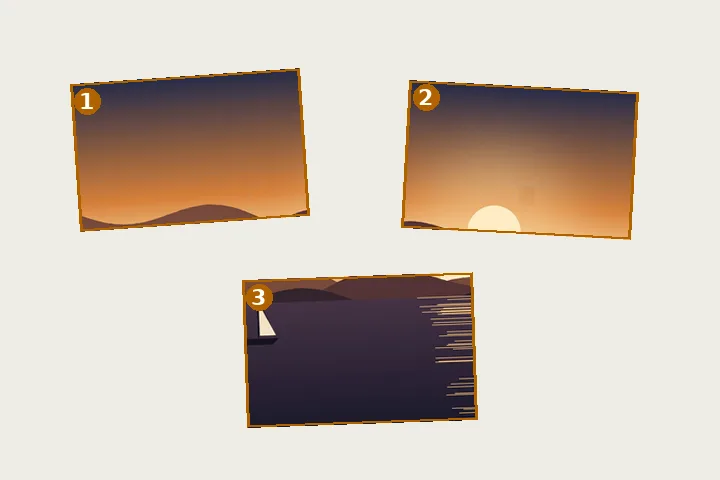
Computed when this page was built: a synthetic 800 × 600 scan with three prints placed at known positions and angles — one with a pale sky across its top — run through the same detector the tool uses.
| Placed | Found | |
|---|---|---|
| 1 | 260 × 180 at 4° | 260 × 120 at 4° |
| 2 | 220 × 160 at -2.5° | 220 × 107 at -2.5° |
| 3 | 300 × 200 at 0° | 299 × 132 at 0° |
3 regions were found for 3 prints placed.
Getting a scan the detector reads well
Leave a gap of a centimetre or so between prints, because prints that touch become one region. Keep the lid closed or put a sheet of dark paper behind the prints if they have white borders; a white border on a white lid is the one case the colour difference cannot see. Scan at 300 DPI or more for prints you want to keep — detection works on a reduced copy, but the photos are cut from the full scan.
This finds rectangles on an even background. Torn prints, prints overlapping each other and busy backgrounds need their boxes drawn by hand, which the editor allows.
How to do it here
- Scan the prints. Lay several prints on the glass with a little space between them and scan the whole bed.
- Drop the scan. Each print found is outlined and numbered in reading order.
- Check the boxes. Drag, resize or turn any box; add one the detector missed or remove a false one.
- Save. Save every photo as its own file in one ZIP with a receipt, or one photo on its own.


