Start from the size on the wall
A poster is planned backwards: first the size you want on the wall, then the paper your printer takes, then how many sheets that means. Type the finished size here — or press A2, A1, A0, 60 × 90 or 50 × 70 — and the board works out the sheets for every paper it knows, portrait or landscape, fewest first. Pick one and the sheet grid, the framing and the DPI readout all follow from it.
Everything on this rail is millimetres until the very last step. The printable area of each sheet is the paper minus the printer margin; neighbouring sheets repeat a strip of picture so one can be laid over the other; and only once the picture is framed to the poster’s shape does a millimetre become a number of pixels. Nothing is resampled: a sheet holds the source pixels at whatever density the picture has.
A worked example
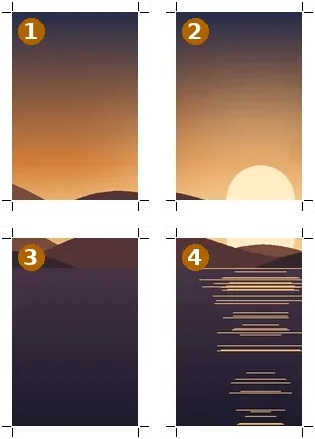
4000 × 5600 → 4 files · 38 × 55 cm at about 258 DPI
| File | Cell | From x, y | Pixels |
|---|---|---|---|
| poster-r1c1.png | row 1 · col 1 | 0, 0 | 2131 × 3013 sheet (1968 × 2851 picture) |
| poster-r1c2.png | row 1 · col 2 | 1867, 0 | 2131 × 3013 sheet (1968 × 2851 picture) |
| poster-r2c1.png | row 2 · col 1 | 0, 2750 | 2131 × 3013 sheet (1968 × 2850 picture) |
| poster-r2c2.png | row 2 · col 2 | 1867, 2750 | 2131 × 3013 sheet (1968 × 2850 picture) |
Reading the DPI honestly
- 300 DPI and above: sharp at reading distance. Guidance, not a standard.
- 150 to 300 DPI: fine on a wall viewed from a step back.
- Below 150 DPI: soft up close. The readout turns to a warning and suggests fewer sheets or a larger picture.
The figure is the source’s pixels across the printed width, nothing more. A tool that promises 300 DPI for any size is relabelling the file, not adding detail, and the print shows it. Here the number moves as you change sheets so the trade-off is visible before any paper is used.
Sheets are written as images, one per page. Print them at actual size with scaling switched off; a printer driver that “fits to page” shrinks every sheet slightly and the joins drift.
How to do it here
- Open the picture. Drop it on the board; it is decoded in this tab.
- Type the finished size. Use a preset such as A2 or type width and height in cm, then pick one of the sheet layouts listed.
- Set margin and overlap. 8 mm margin and 10 mm overlap suit most home printers; change them to match yours.
- Cut and print at actual size. Cut to a ZIP of sheets and print each at 100 %, scaling off.
- Trim and tape. Trim along the corner marks and lay each sheet over its neighbour at the glue line.


