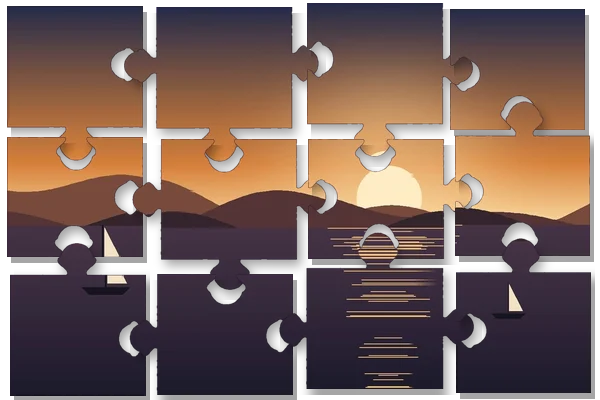
Pieces with tabs, not squares
Cutting a picture into a grid gives rectangles; a jigsaw needs every shared edge to carry a tab on one side and the matching blank on the other. This page draws those edges. Each internal edge is a short chain of curves with a rounded head and a narrow neck, sticking out to one side or the other at random, with its position and size varied slightly so the pieces do not all look stamped from one die. Edges on the outside of the picture stay straight, as they do in a boxed puzzle.
What you get is two things. The first is one PNG per piece: the picture inside the piece’s outline, everything outside it fully transparent, in a file just large enough to hold the tabs. That is the form a digital puzzle, a game, a slide animation or a social post wants. The second is a cut sheet: the whole picture with every cut line on top, as an SVG that a cutting machine or a vector editor can read and as a one-page PDF ready to print.
A worked example
Built with the default settings when this page was generated: a 1200 × 800 picture asked for 24 pieces becomes 6 × 4 = 24 pieces, each cell 200 × 200 pixels, with tabs at 22 % of an edge and seed 2026. The piece in row 2, column 2 owns a 200 × 200 cell and its file is 297 × 248 once its tabs are included; the largest file in this set is piece 15 at 255 × 306.
Choosing a count and a tab size
Type any count from 4 to 300. Pieces sit in rows and columns, so the board picks the grid whose count is nearest yours while keeping each piece close to square for this picture’s shape, and it prints the count it will really cut. Tab size runs from 10 to 30 % of an edge: small tabs read as a gentle puzzle and are easier to cut by hand, large tabs lock together more firmly and look more like a commercial jigsaw.
The seed decides which way each tab points and how each is varied. Keep it and the puzzle is reproducible — handy when one piece file goes missing, or when a set of puzzles from the same picture must match. Press New shapes for a different arrangement with everything else unchanged.
Printing the cut sheet
The PDF puts the picture on one sheet of A4, A3 or Letter with a 10 mm margin, landscape for a wide picture, and draws each cut line as a black line over a thin white one so it shows on dark and light areas alike. A one-line note on the sheet records the piece count and the seed. Print at actual size; the board shows the printed piece width before you save, so a 100-piece puzzle on A4 does not surprise you with fingernail-sized pieces.
A home-printed sheet is a cut guide, not a die-cut puzzle: the pieces are only as good as the knife and the card behind the print. Very small pieces and very large tabs are hard to cut cleanly by hand.
How to do it here
- Open the picture. Drop it, browse for it, or paste it; the cut lines are drawn over it straight away.
- Choose the piece count. Pick 12, 24, 48 or 100, or type any count; the grid actually cut is printed beside it.
- Shape the tabs. Set the tab size and keep the seed, or press New shapes for a different set.
- Save. Save one ZIP with a PNG per piece, pieces.json, and the SVG and PDF cut sheet.


